
Free American Morse Code Translator Online 2026
Are you a hobbyist looking to practice American Morse code, but couldn’t find a reliable and accurate conversion tool? This guide is for you. Although this article offers a user-friendly tool, I completely understand how frustrating it is to stumble across resources that are either incomplete or too complex, making it harder to practice and stay consistent.
Now, no worries, as this article provides the solution to all your problems related to the American Morse code translator. From offering an accurate and rapid tool with advanced options to guiding you on how you can use it effectively, this guide has got your back. We’ve also provided the American Morse code alphabet, so you can practice easily and gain confidence in both translating and decoding. So without waiting any time, let’s dive in!

What is American Morse Code?
American Morse code, also known as Railroad Morse, was designed in the 1840s by Samuel Morse and Alfred Vail for early telegraph systems. The primary motivation for creating this version is that the companies using the original Morse code were primarily based in the United States.
American Morse code is a complex system of code that uses dots, dashes, spaces, and timing to convey various signals. Furthermore, it can be transmitted about 5% faster than the international Morse code, making it a go-to option for the U.S. landline telegraph companies. Although it’s nearly extinct now, it’s frequently used in U.S. Civil War reenactments and American railroad museums.
What is an American Morse Code Translator Tool?
The American Morse code translator is an advanced tool that converts English text to Morse code and can also decode the Morse code back into plain text. The code generated by this tool differs significantly from the International Morse code translator. This difference lies in the long and short dashes, intra-character spaces, and precise rhythm and timing. If the duration of one dot is considered one unit, then the dash is equal to two units. It employs a long dash of four units, like “L”, and a very long dash of five units, like “0”.
The space between elements of a single character produced by this American Morse tool contains one unit. However, some characters contain slightly longer spaces of about 1.5 units within them, like “C”. Moreover, the space between characters is considered to be two units, and the space between words is supposed to be three units. This translator tool is handy in working with historical documents, antique radios, and legacy railway communication systems, and it works perfectly in most browsers.
Text to Morse
This tool enables users to type text containing letters, numbers, and punctuation into the top box, which then converts it into the specified American version of Morse code in the bottom box. The entire conversion is conducted in real-time, making it a user-friendly tool. If any of the characters cannot be translated, the output will be blank and show no result for that specific character.
Morse to Text
Our tool also allows users to decode back the American version of Morse code into plain text. You can do this by simply typing the American Morse code into the middle box, and the tool will start converting it into text in real-time. Make sure your Morse code uses a “.” for a dot and “-” or “_” for a dash. For the long dash, such as L, use a (“⸺”), and for an even longer dash, such as 0, use (“⸻”). For a single space within characters, use (“|”) and for separating words, use the slash (“/”). If any character cannot be translated, the output will display nothing for that specific character.
Sound, Light & Vibration
Our tool features advanced options that enable users to hear the Morse code, see the flashing light, and vibrate their phone by clicking the Sound, Flash, and Vibrate buttons. All of these features are synchronized with the Morse code, while the Repeat and Stop buttons control the playback, making it an effective tool. Please note that the vibration button is only compatible with smartphones; it’ll not function on desktops.
Speed, Volume & Pitch
Our tool also provides helpful options for users, including speed, pitch, and volume sliders that let you adjust the beep sound to your preference. You can simply do this by moving the sliders left to right.
How the American Morse Code Tool Works
Our tool is straightforward, allowing even beginners to use it with just a few simple steps. Follow the steps below to use this tool efficiently:
- First, you’ll need to give input to get the output.
- If you want to convert text into Morse code, then type the text into the top box.
- If you’re going to convert American Morse code into text, then type the code consisting of dots, dashes, and spaces in the middle box.
- Once you start giving input, the tool will begin producing output in real-time.
- You can use the provided features, including sound, flash, vibration, speed, and much more.
American Morse Code Characters
We’ve mentioned detailed information regarding the American Morse code characters or symbols below.
For Letters
Below is the table featuring all the letters and their American Morse code:
Letter | Morse |
|---|---|
A | .- |
B | -… |
C | ..|. |
D | -.. |
E | . |
F | .-. |
G | –. |
H | …. |
I | .. |
J | -.-. |
K | -.- |
L | ⸺ |
M | — |
N | -. |
O | .|. |
P | ….. |
Q | ..-. |
R | .|.. |
S | … |
T | – |
U | ..- |
V | …- |
W | .– |
X | .-.. |
Y | ..|.. |
Z | …|. |
For Digits
We’ve provided a graph below that includes all the digits and their corresponding American Morse code:
Digits | Morse |
|---|---|
0 | ⸻ |
1 | .–. |
2 | ..-.. |
3 | …-. |
4 | ….- |
5 | — |
6 | …… |
7 | –.. |
8 | -…. |
9 | -..- |
For Punctuation
Below is the graph that includes all the punctuations and their corresponding American Morse code:
Punctuation | Morse |
|---|---|
( . ) Full Stop | ..–.. |
( , ) Comma | .-.- |
( : ) Colon | -.- . . |
( ? ) Question mark (query) | -..-. |
( ‘ ) Apostrophe | ..-. .-.. |
( – ) Hyphen | … .-.. |
( / ) Slash | ..- – |
( Open parenthesis | ….. -. |
) Close parenthesis | ….. .. .. |
( ” ) Quotation marks | ..-. -. |
( & ) Ampersand | . … |
( ! ) Exclamation mark | —. |
( ; ) Semi-colon | … .. |
Who Should Use an American Morse Code Converter?
We’ve listed all the applications where the American Morse code generator can be ideal:
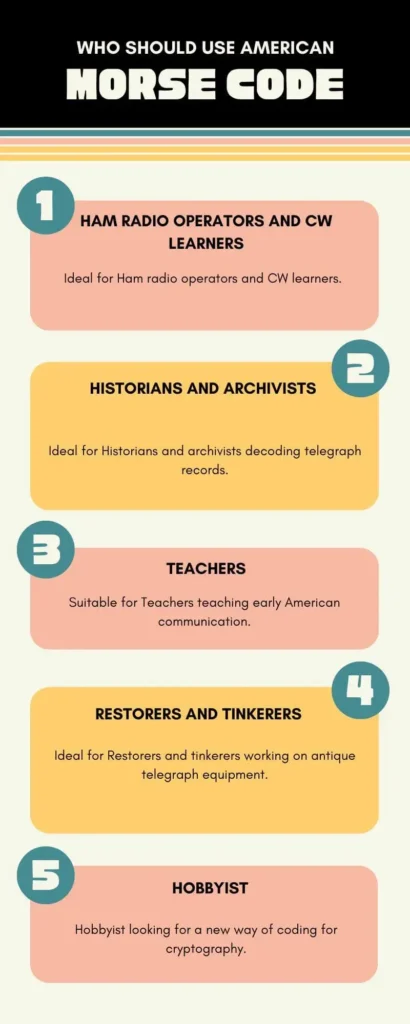
- Ideal for Ham radio operators and CW learners.
- Ideal for Historians and archivists decoding telegraph records.
- Suitable for Teachers teaching early American communication.
- Ideal for Restorers and tinkerers working on antique telegraph equipment.
- Hobbyist looking for a new way of coding for cryptography.
Why American Morse Code is Different from International Morse
There are some changes in the code that make a difference between them. We’ve mentioned all of them below:
- The American Morse code employs different variable dash lengths, including a short dash, a medium dash, and a long dash.
- It contains intra-character gaps between the characters that change its meaning.
- The American version features distinct Morse code patterns for specific characters, including “C” and “L”.
FAQs
Conclusion
As we reach the end of the article, you’re now well-equipped with everything you need to know about the American Morse code translator. This tool not only encodes text into American Morse code but also decodes it back into text in real-time. Although the American Morse code, also known as the Railroad code, is now extinct, this tool remains invaluable for those working on historical documents, amateur radio, and railway communication systems. So, why wait? Try it and experience this version of Morse code now!
